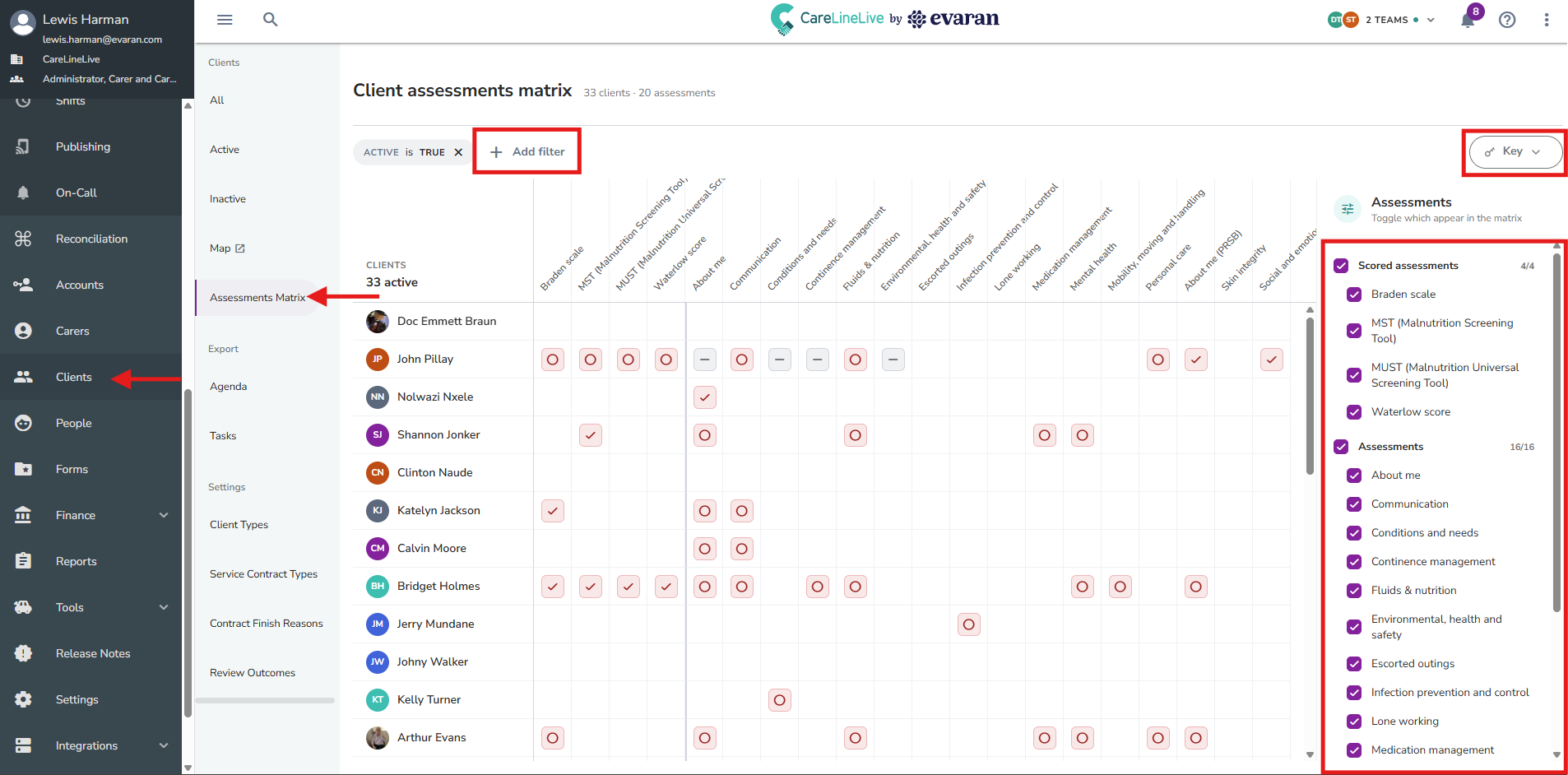
If you go to Clients → Assessments Matrix, you can find the client assessments matrix. This table helps you to monitor which assessments have been completed and how recently they were last updated for each client.
Filters
At the top, you can click "Add filter" to filter down by certain attributes of the clients, such as their postcode, gender, and contract type.
On the right, you can tick or untick certain assessments to show or hide them from the assessments matrix.
Key
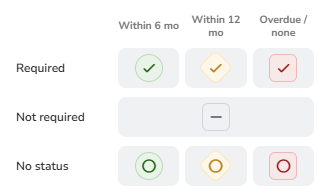
In the top right, you can click to view the key. This is a reference point to know the purpose of the different icons, shapes, and colours in the table.
- Icon - Indicates if the assessment is required
- Tick = Required
- Dash = Not Required
- Circle = No Status
- Colour / Shape - Indicates how recently it was last completed
- Green / Circular = Within the last 0-6 months
- Amber / Diamond = Within the last 6-12 months
- Red / Square = Overdue or not completed
Interactions
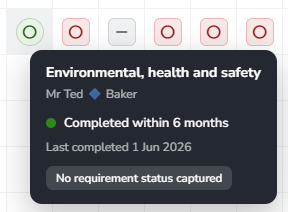
If you hover over the status for a particular client's assessment, you will see more information about it, such as the exact date when it was last completed.
You can also click on the statuses to open up the client's assessments area. Here, you can click into each assessment for this client to read, complete, or update it as needed.